
Tool variables
A tool can define its own variables — reusable named values that are referenced as {name} in the URL, Headers, Content and Authentication fields. They are configured on the Variables tab of the tool editor.
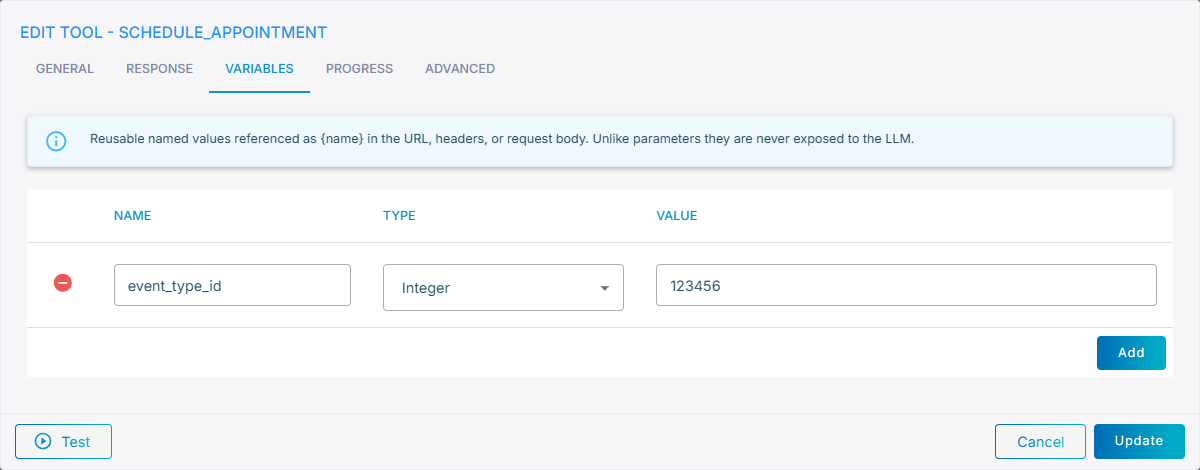
Tool variables are useful for values that are fixed for the tool but that you would rather not hard-code inline — for example an API key, a tenant ID, a base URL, or an API version.
Variables vs. parameters
Although both are referenced with {name}, variables and parameters serve different purposes:
| Parameter | Variable | |
|---|---|---|
| Set by | The LLM, at call time | You, in the tool configuration |
| Exposed to the LLM | Yes — part of the tool schema | No — never seen by the LLM |
| Typical use | Values deduced from the conversation (city, date, name) | Fixed configuration (API key, version, base URL) |
Configuring a variable
Click Add on the Variables tab, then configure:
- Name – the variable name. Must start with a letter or underscore and contain only letters, digits and underscores.
- Type –
String,Integer,Float,BooleanorSecret. UseSecretfor sensitive values such as API keys; secret values are masked in the dashboard. - Value – the value substituted for
{name}at runtime.
Relationship to agent and flow variables
Tool variables are only one of the variable sources available in the request fields. The agent's / flow's variables, conversation data, and the other dynamic variables can also be referenced with {name} in the same fields, without redefining them on the tool — so define a value as a tool variable only when it is specific to this tool.
When a tool variable and an agent / flow variable share the same name, the tool variable wins. This lets a tool override an inherited value for its own request.
Example
Several tools call the same backend, which expects an api_version header. If the version is the same everywhere, define api_version once as an agent variable and reference {api_version} from every tool. If one tool must pin a different version, add an api_version tool variable on that tool — it overrides the agent value for that tool only.